A visual shot list
Keep reference images beside concise shot descriptions. Organize coverage by scene so the plan is easy to follow.
A visual shot list, a flexible shooting schedule, and a clear view of where the day goes. Explore the actual tools below.
Start with Shot Flow ↗No credit card required
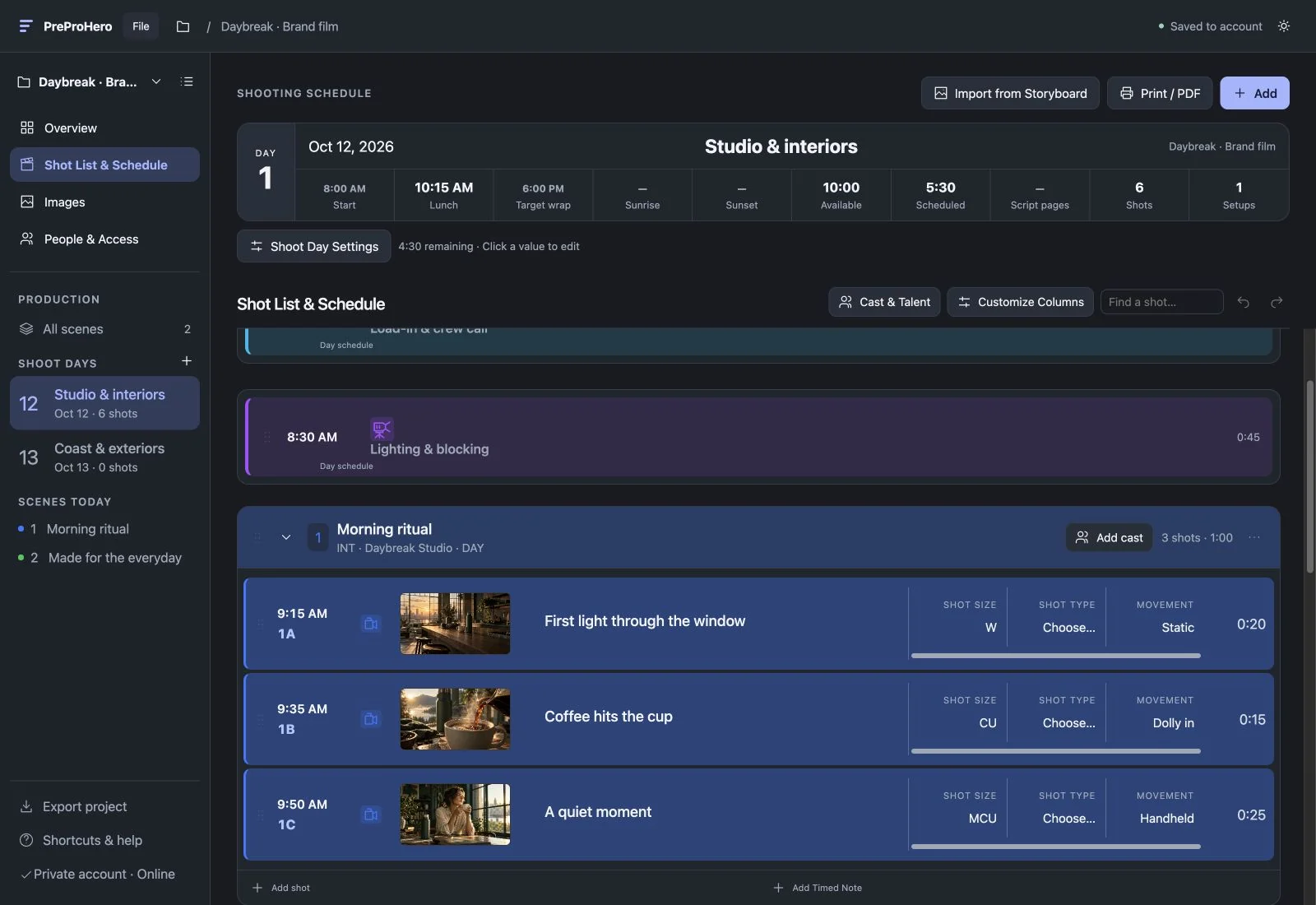
Images, shot numbers, descriptions, and durations stay together. Organize coverage by scene and change the order as the plan develops.
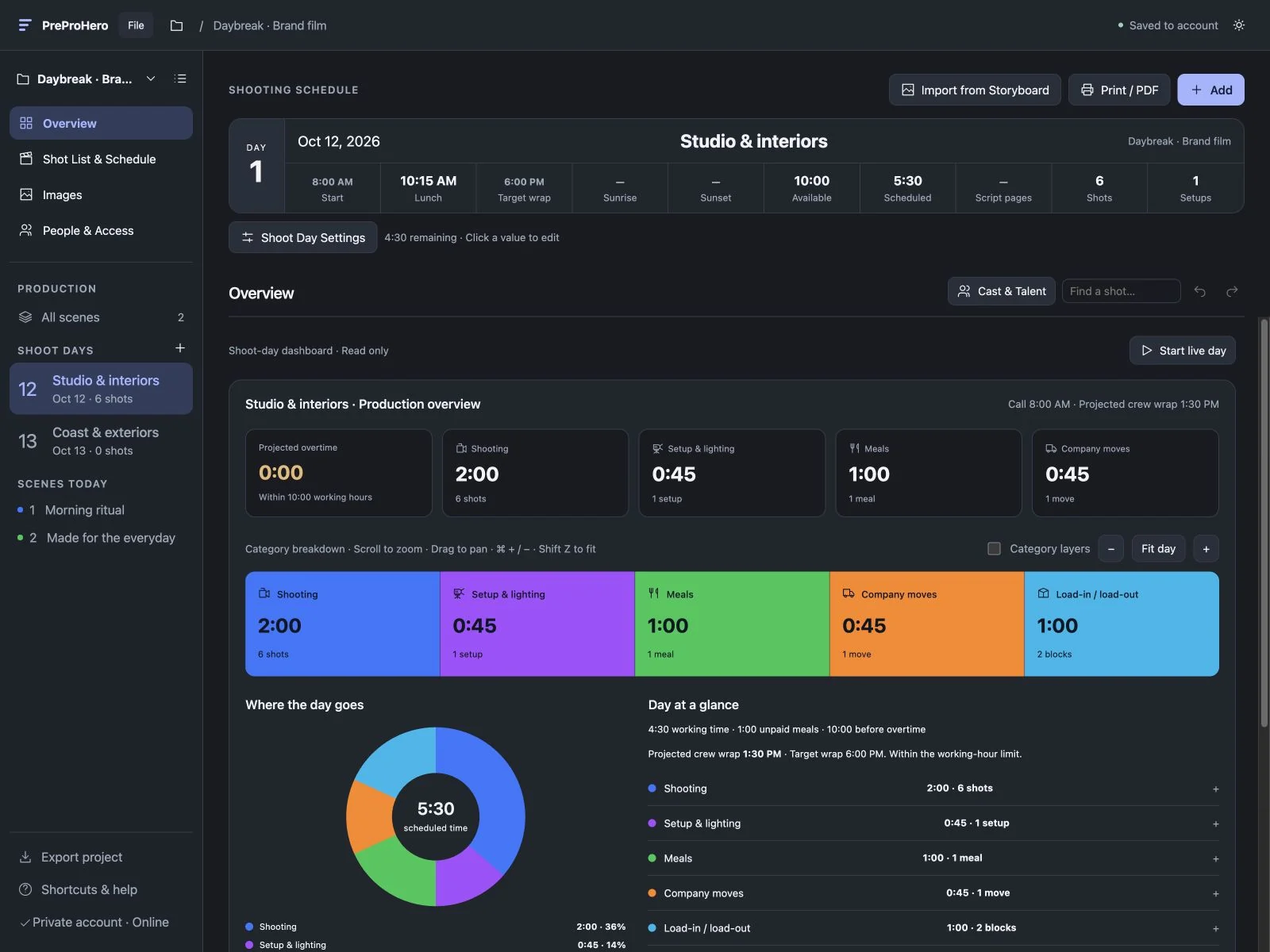
Review shooting, setups, meals, and company moves together. See the planned time and the day’s breakdown before committing to the schedule.
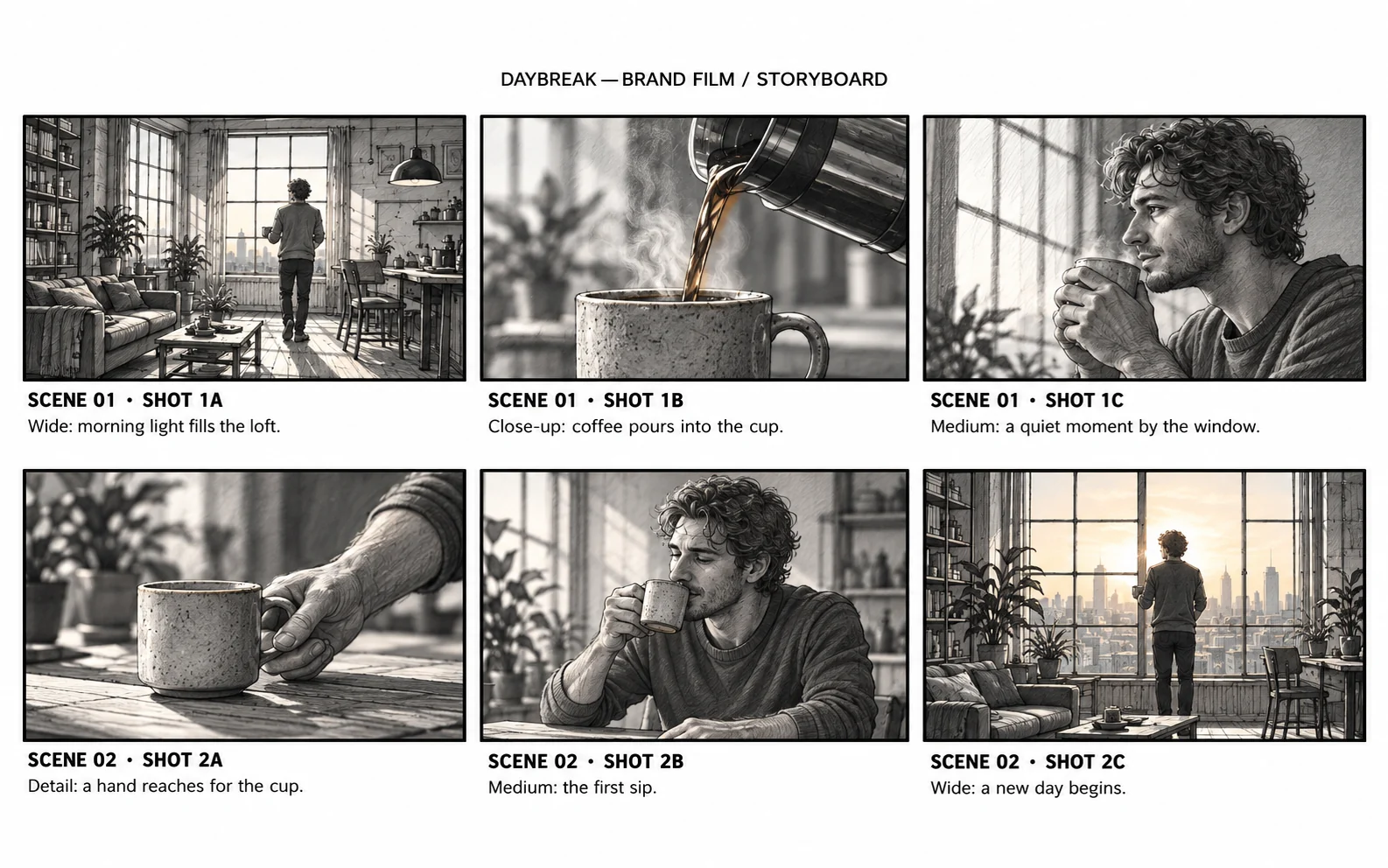
Bring in a storyboard, review the resulting shots and scene groupings, and build the schedule from there. Keep each reference image with its shot.
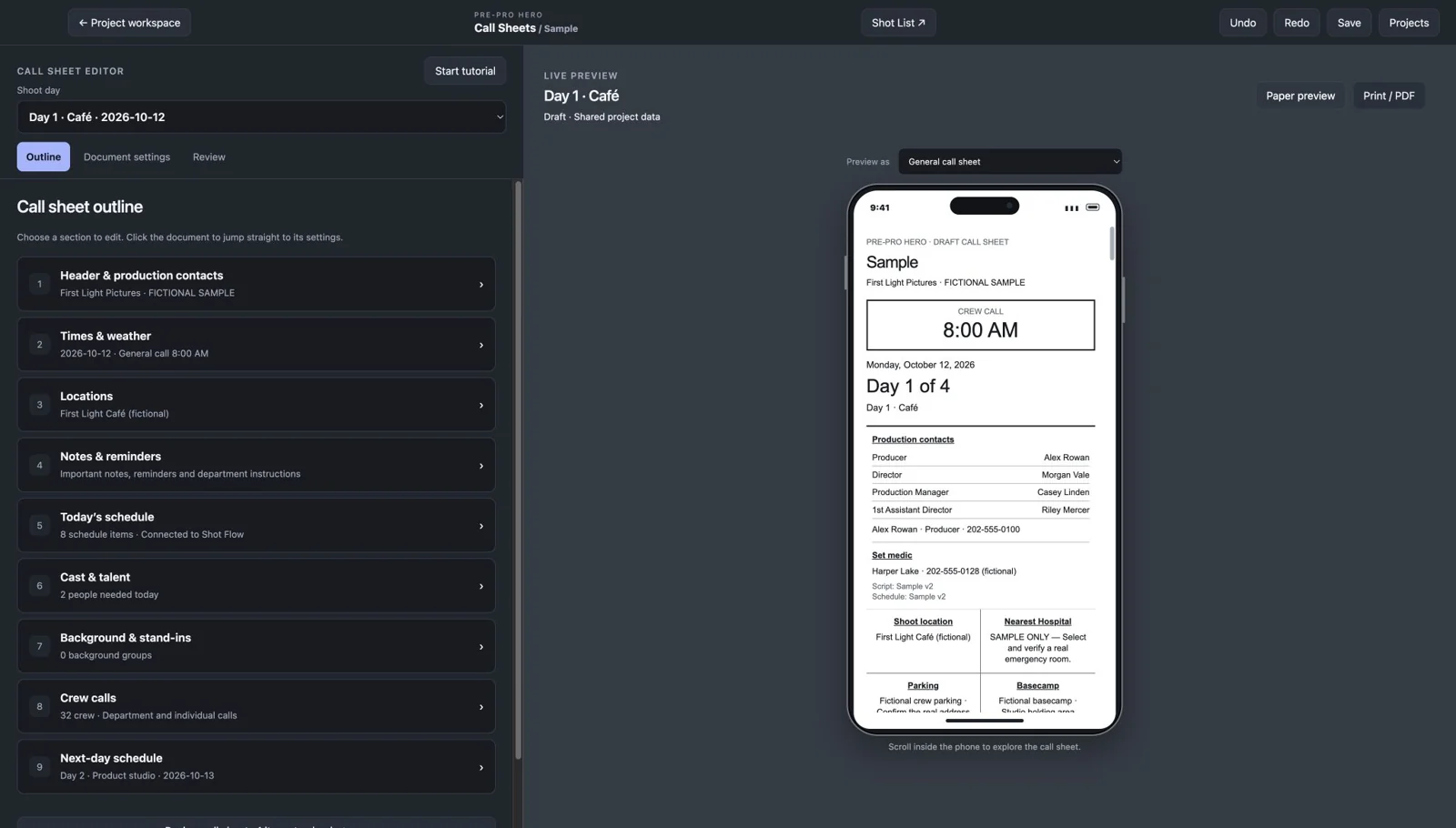
Connect Call Sheets to reuse your project’s shoot days, crew, and cast. Then review the call sheet in its dedicated editor, including a scrollable phone preview.
What you can do
Keep reference images beside concise shot descriptions. Organize coverage by scene so the plan is easy to follow.
Bring storyboard images into your project, then review the extracted shots, descriptions, and scene groupings.
Keep images in the side panel and drag them onto shots. Create a shot from an image and carry over its description.
Add load-in, lighting and blocking, safety meetings, meals, strike, and company moves alongside the shots.
Set lunch or a shot to an exact time. Visible gaps expand and contract as you adjust the schedule around it.
Break the production into days, set call and wrap times, and review the timing as your plan changes.
Customize columns for framing, angle, movement, frame rate, gear, lenses, interior/exterior, and custom information.
Keep project contacts together and reuse people from your contacts library without re-entering their details.
Print the plan or share a phone-friendly schedule link. Send schedule emails and review recipient acknowledgments.
Collaborate on the same project and keep changes in sync while your team plans.
Connect Call Sheets in the project workspace to reuse shoot days, crew, and cast.
Explore a fictional production with shots, images, schedules, and a step-by-step guide.
From first step to finished plan
Use the Sample to explore, or create your own production.
Create scenes and shots, or import your storyboard.
Set durations, add production notes, and arrange the shooting order.
Share the schedule and connect the project to Call Sheets.
Shot Flow is free during beta. No credit card is required.
Shot Flow works in your web browser.
Yes. Create scenes and shots directly, then add reference images when useful.
Yes. Lock a meal note to noon and adjust the schedule around that fixed time.
You choose the shooting order, durations, and details. Review the final plan with your production team.
The text-sharing control opens your messaging app with a prepared schedule link. It does not send automated SMS.
Free during beta · No credit card required