Start with the project you have
Connected shoot days, crew, and cast populate from the same project in Shot Flow. Review and refine them for each day.
Reuse shoot days, crew, and cast from your project. Set the details for each person, then check the finished call sheet on paper and on a phone.
Start with Call Sheets ↗No credit card required
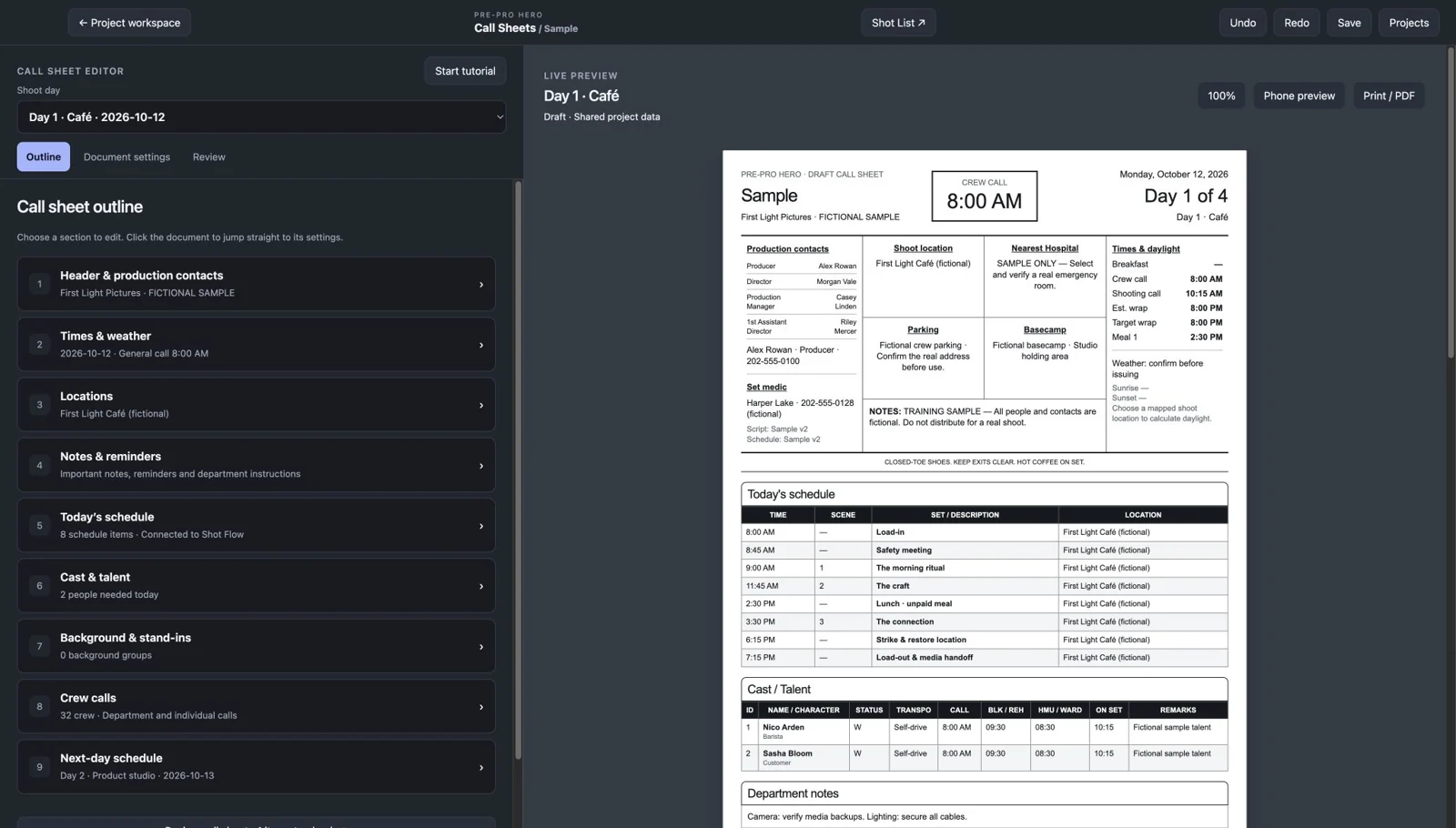
General call, key contacts, locations, the shooting schedule, and talent details in one structured document. Edit in the left column while the result stays in view.
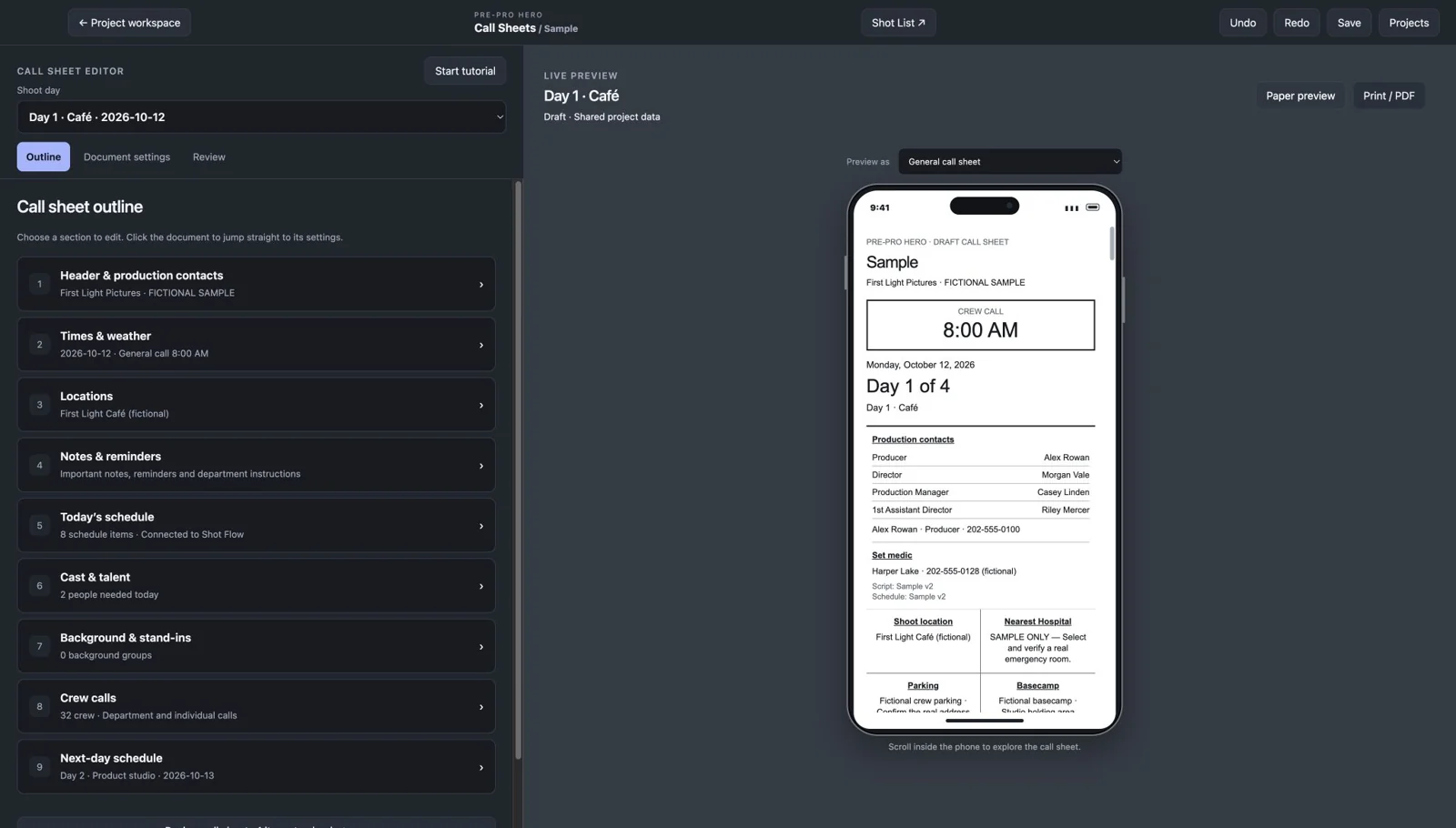
Switch to a phone-shaped preview and scroll through the call sheet inside the app. Check call times, arrival information, and important notes before distribution.
What you can do
Connected shoot days, crew, and cast populate from the same project in Shot Flow. Review and refine them for each day.
A structured call sheet puts general call, key contacts, locations, and the day’s schedule where people expect them.
Edit sections in a spacious left panel while the live call-sheet preview stays visible. Click the document to find its settings.
Organize crew by department and set department or individual call times for the day.
Include characters, transport, call, blocking/rehearsal, makeup/wardrobe, on-set times, and remarks.
Include production office, parking, basecamp, and hospital details. Add the information people need to arrive prepared.
Find a nearby emergency room based on your shoot location, with the option to select a different facility. Verify the details before issuing.
Calculate sunrise and sunset for your mapped shoot location and date. Add weather notes for the day.
Separate key reminders, safety messages, and department instructions so the important details stay readable.
Keep background groups, quantities, arrival times, and ready times organized alongside the main cast.
Show the day’s schedule and an advance schedule for the following shoot day when available.
Check print and scrollable phone previews, review missing details, and finalize the call sheet before distribution.
From first step to finished plan
Start from your connected project or use Call Sheets independently.
Review crew, cast, key contacts, and individual calls.
Add locations, parking, emergency information, and important notes.
Check the finished document and phone preview before distribution.
No. Call Sheets can be used independently. Connecting Shot Flow lets you reuse project information.
Connected project information includes shoot days, the schedule, crew, and cast. You review day-specific call times and additional call-sheet details.
Yes. Set department and individual crew calls, and the relevant preparation and on-set times for talent.
Yes, based on the mapped shoot location and shoot date when automatic daylight is enabled.
Yes. You can choose a different facility. Always confirm its emergency services and contact details before issuing the sheet.
Yes. The editor includes a scrollable phone preview as well as the document layout.
Call Sheets is free during beta. No credit card is required.
Free during beta · No credit card required